
Casino · Live · Sports
Wageon App Download for Android and iOS Players in the UK
Wageon mobile app for UK players in 2026: Android and iOS access, features and how to install.

Getting started at Wageon in minutes
Create an account
Fill the form and confirm your email.
Make a deposit
Choose a method and confirm the payment.
Claim the bonus
Enter the promo code before the first deposit.
Wageon: welcome bonus for new players
- fast payouts
- mobile-friendly
- quick registration
Wageon strengths and weak spots
What stands out
- Casino, live dealer tables and sportsbook under one login
- Slots from studios such as NetEnt, Play'n GO and Hacksaw
- Cards, PayPal, Skrill and Apple Pay for deposits
- Mobile play in the browser without a download
- Deposit limits and self-exclusion tools in the account
What to check first
- Bonus wagering and expiry rules need careful reading
- Identity checks are required before the first withdrawal
- Check the operator licence for Great Britain before signing up


I walk through the Wageon app for GB players in 2026: how to install on Android or iOS, what SSL, KYC and RNG mean on a phone, and what the welcome offer asks of you. 18+ only.
Download the Wageon App on Android or iOS: Which Route Fits You
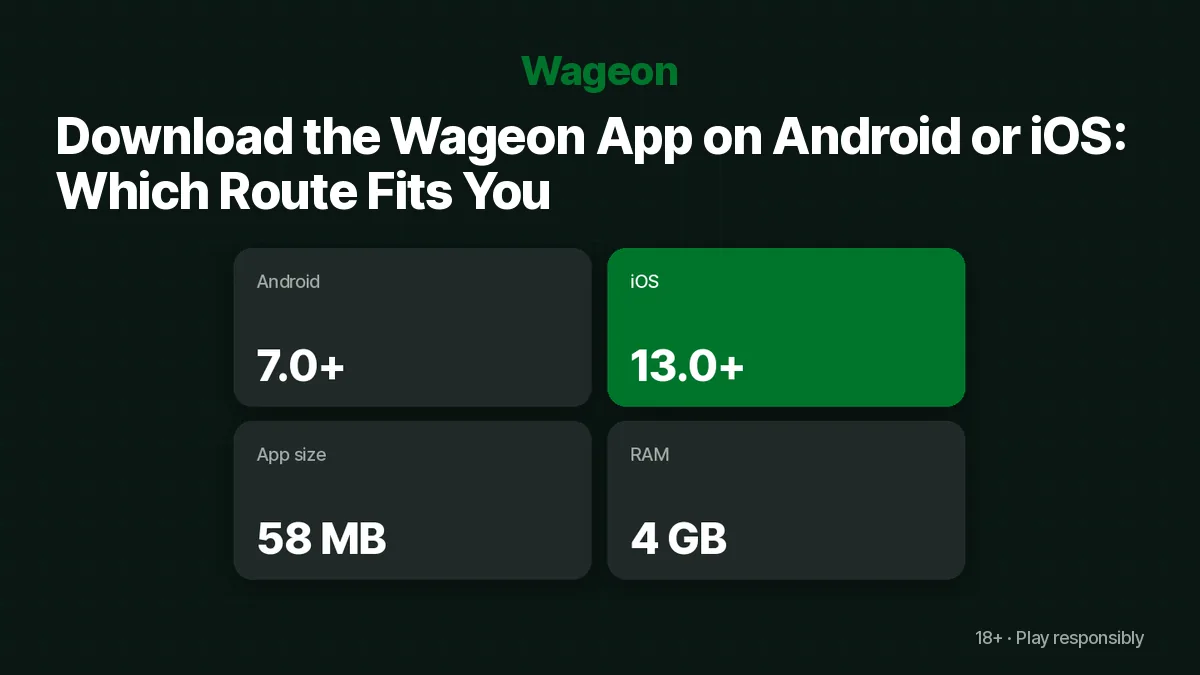
For most GB players, the iOS home-screen shortcut is the shortest route: a few taps from the browser and no file to install. Android users take the APK route, which has more steps. I would start with whichever matches your phone, and confirm the current Wageon App Download route on the official site first.
I suit the app route to people who log in several times a week and want one-tap access. If you play occasionally, or your phone is older or short on storage, the browser on the main wageon site does the same job without installing anything. App Wageon is linked with the welcome offer of 100% up to £500 + 200 free spins, minimum deposit £20. Read the full terms before you deposit, because the app does not change them.
| Aspect | Android APK | iOS |
| Steps needed | More: download the file, allow installs, confirm | Fewer: open the site, add it to the home screen |
| Where it comes from | A file from the official site | The browser itself |
| Settings change | Unknown-sources permission needed temporarily | None |
| Main risk | Fake installers from unofficial pages | Low, as it is a shortcut to the site |
| Best for | Regular players who accept manual setup | Players who want the quickest start |
My trade-off is simple: Android gives a dedicated app icon but asks you to loosen a security setting, while iOS keeps things tidy but behaves like the website. Whichever you pick, gambling carries financial risk, so set a deposit limit before your first session.
How to Install the Wageon APK on Android Step by Step
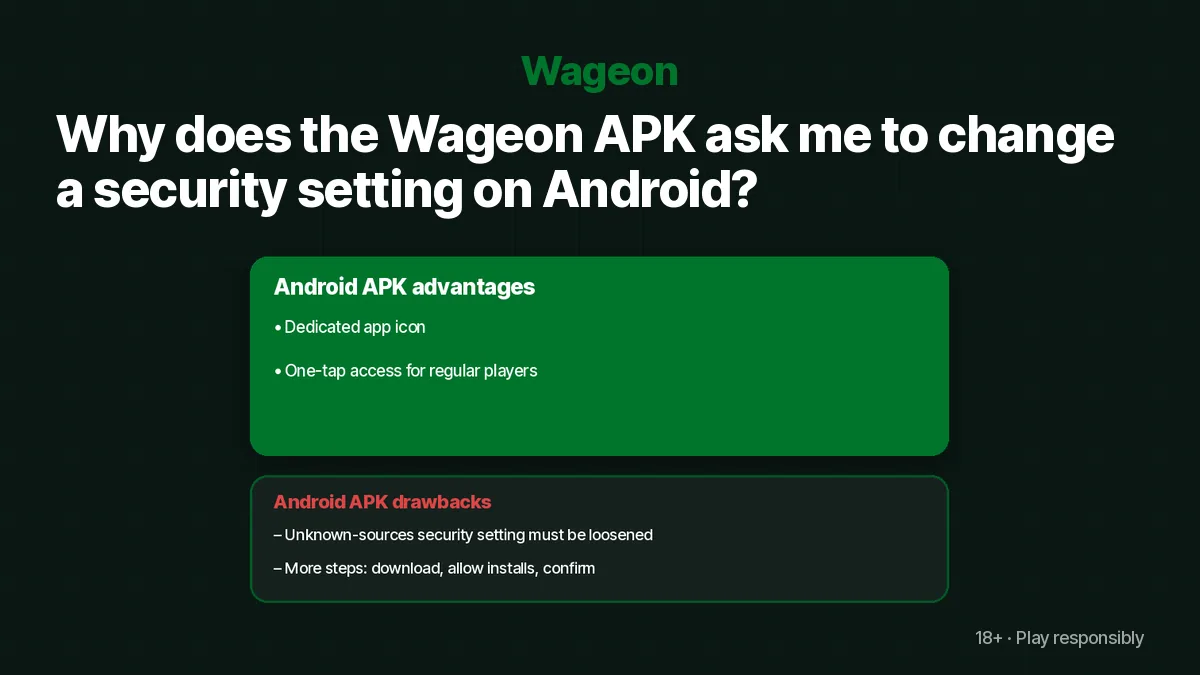
Installing the Wageon APK takes a handful of steps: download the file from the official site, allow installs from that source once, open the file, review the permissions prompt, then switch the permission off again. I check the source first, because a fake installer is the biggest risk on this route.
1. Open the official Wageon site in your phone browser and find the current Wageon App Download link. Check the address bar carefully and avoid links from ads, forums or messages.
2. Tap the download. Android may warn that this type of file can harm your device; that is standard for any APK.
3. When prompted, open settings and allow installs from unknown sources for your browser only.
4. Open the downloaded file and tap install.
5. Read the permissions prompt. An app for casino play should not need contacts or messages, so decline anything that looks unrelated.
6. Launch App Wageon and log in.
7. Go back to settings and turn the unknown-sources permission off again. I recommend doing this straight away so other files cannot install the same way.
What to check once it is running
Look for the padlock in the login screen or connection details: Wageon App Download traffic is meant to run over SSL, which encrypts data between your phone and the server. Expect KYC identity checks before withdrawals, so have your ID and proof of address ready. Games use RNG, a random number generator that decides each outcome independently, so no app or session pattern can influence it.
Play only if you are 18 or over, keep to the limits you set, and remember that losses are a normal part of gambling.
Adding Wageon to Your iPhone Home Screen via Safari
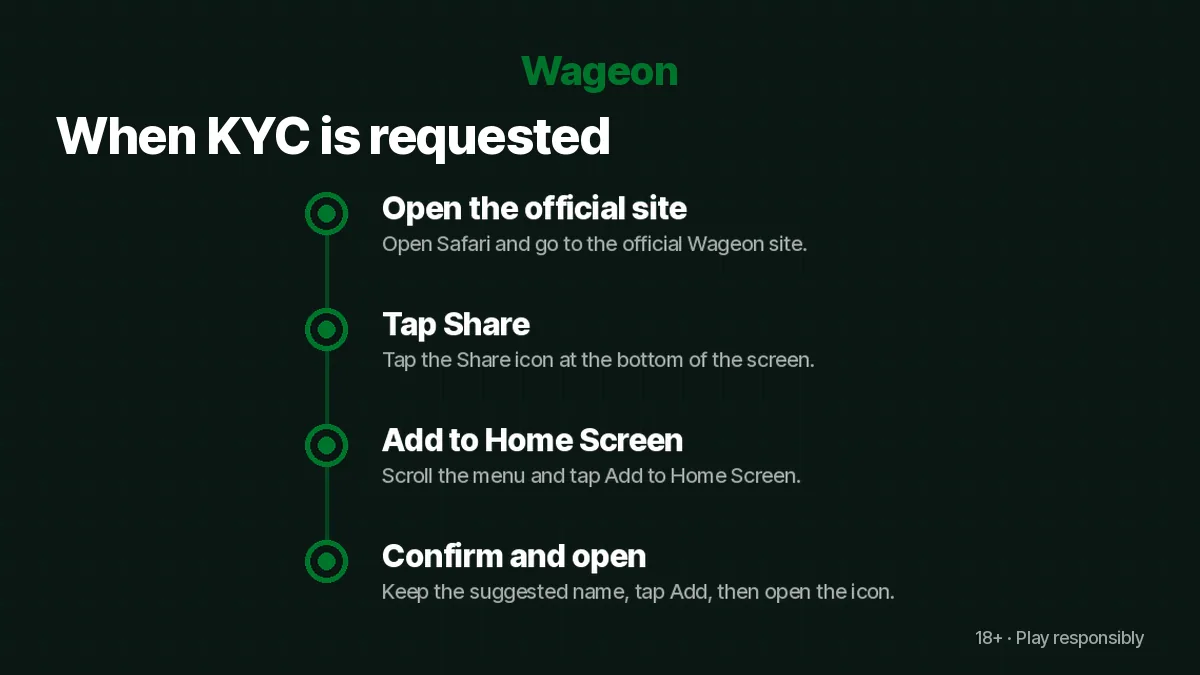
On iPhone, I add Wageon through Safari's Share menu: open the site, tap Share, choose Add to Home Screen, then confirm the name. This creates an icon that opens the mobile site in one tap. It works as a shortcut, not a store-installed app.
I treat App Wageon on iOS as a shortcut to the mobile site rather than a store app, so check the official site for the current route before you start.
1. Open Safari and go to the official Wageon site. Check the address bar before logging in.
2. Tap the Share icon at the bottom of the screen.
3. Scroll the menu and tap Add to Home Screen.
4. Keep the suggested name or edit it, then tap Add.
5. Open the new icon from your home screen and log in as usual.
What the shortcut does and does not give
Because it loads the live mobile site, updates happen on the server side, so there is nothing to update manually. The flip side is that it needs a connection and behaves like the website, with no separate app features beyond the icon.
Your account, balance and offers are the same as in the browser. That includes the welcome offer linked with App Wageon: 100% up to £500 + 200 free spins, minimum deposit £20. The shortcut does not improve the terms, so read them before depositing.
If the icon stops working, delete it and repeat the steps from Safari. Gambling is for adults aged 18 or over, carries financial risk, and should stay within a budget you can afford to lose.
Is the Installer Safe: Checks I Run Before Tapping Install
Before installing, I check three things: the web address matches the official site, the connection shows a padlock meaning SSL is active, and the permissions list matches what a casino app needs. If any of these fails, I walk away from the installer.
I would walk away from any installer asking for more than it needs. A casino app has no reason to want your contacts, messages or call history.
| Check | Safe sign | Red flag |
| Web address | Exactly matches the official site, reached by typing it or from a trusted bookmark | Misspelt domain, extra words, or a link from an ad, forum or message |
| Padlock | Padlock shown, connection runs over SSL | No padlock, or a browser warning about the connection |
| Permissions | Minimal list that fits the app's purpose | Requests for contacts, SMS or device administrator rights |
| Source | Download offered from the official site | File shared through a messenger or a third-party mirror |
| Account steps | Normal registration and verification | Asks for card details or your password before you have an account |
SSL, KYC and RNG in plain terms
SSL encrypts the data between your phone and the server, so login details and payments cannot be read in transit. Wageon App Download traffic is meant to use it, and the padlock is how I confirm that.
KYC is identity verification. Wageon App Download requires it, so expect to supply ID and proof of address before withdrawals. A genuine operator asks for this through its own account area, not by email or chat link.
RNG is the random number generator that decides game outcomes. Wageon App Download uses it, which means results are independent and no pattern or timing can influence them.
Licence check
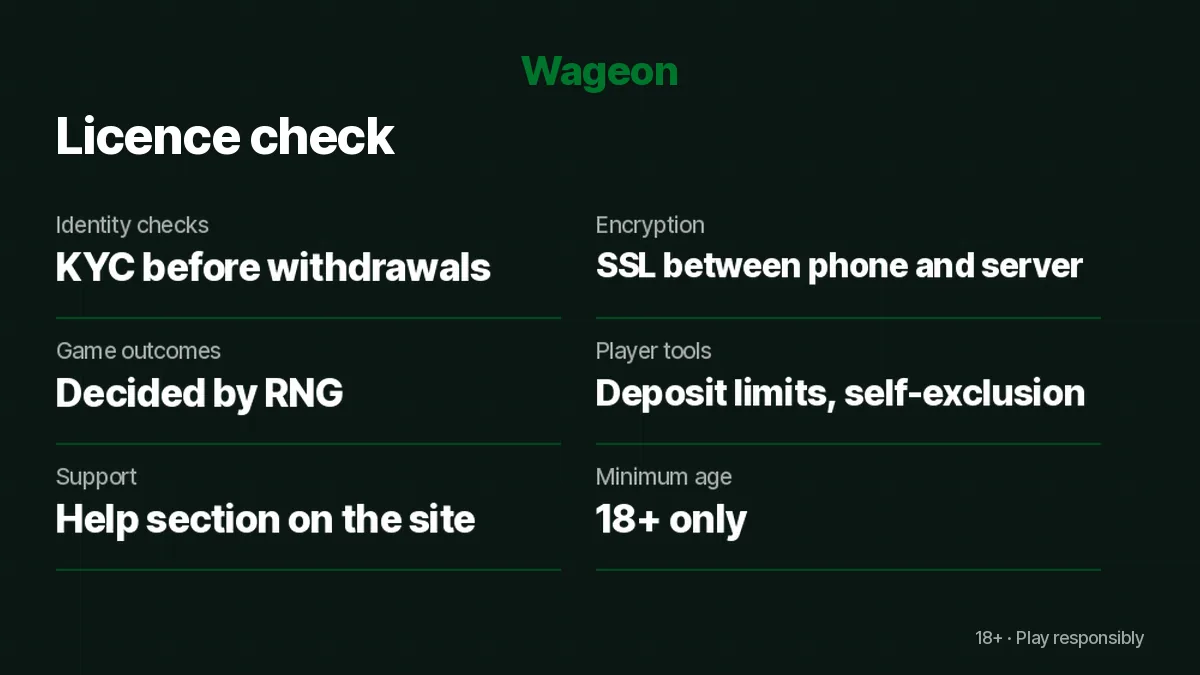
I also look at the licence line in the site footer once and confirm it from the regulator's own register. I do not rely on a number quoted by a third-party page.
Set deposit limits before you play, and stop if it stops being entertainment.
Account, Login and KYC After You Install
Once the app or shortcut is on your phone, you either log in or register. I recommend registering before depositing, because KYC identity checks are usually requested around your first withdrawal, and having them done early avoids delays. Registration steps are covered on the wageon registration page.
Signing in or registering
Open the icon, then choose login if you already have an account, or register if you do not. Use the same details as the browser, as the account is shared across devices. The connection should show a padlock, since Wageon App Download traffic uses SSL to encrypt your login and payment data, and App Wageon is meant to use it as well.
When KYC is requested
Wageon App Download requires KYC, which means confirming your identity and address with documents. Have a clear photo of your ID and a recent proof of address ready. Only upload them inside your account area, never through a link sent by email or chat.
What happens in the games
Game outcomes are decided by RNG, a random number generator, so they do not depend on whether you play in the app or the browser. Verification does not change this.
Set a deposit limit when you create the account, and treat play as entertainment, not income.
What the App Offers a New Player and the Conditions Attached
App Wageon is linked with a welcome offer claimed with a deposit: 100% up to £500 plus 200 free spins, with a minimum deposit of £20. Wagering is x40 and KYC is required. It is not available without a deposit, and I read the wagering line before accepting.
The conditions in brief
- Match: 100% up to £500, so the bonus depends on the amount you deposit.
- Free spins: 200, added to the same package.
- Minimum deposit: £20.
- Wagering: x40, meaning the bonus must be played through 40 times before withdrawal rules are met.
- Verification: KYC is required before you can cash out.
Wagering x40 is a demanding requirement, so you will likely play through a large amount before any bonus-linked winnings can be withdrawn. That makes it a choice for players who enjoy longer sessions, not a way to make money. If you would rather keep things simple, you can decline the offer and play with your own balance.
Terms can change, so confirm the current version in the app or on the site before you deposit. The full breakdown is on the wageon welcome bonus page.
Only deposit what you can afford to lose.
When the App Will Not Install or Open: Fixes in Order
When App Wageon will not install or open, I try the cheapest fix first: free up storage, restart the phone, reinstall from the same official source, then fall back to the browser. Work through the steps in order and stop once the problem is solved.
1. Check storage. A full phone can block an install or make the app crash on launch. Clear some space and try again.
2. Restart the phone. This clears stuck background processes and is the quickest fix for an app that freezes on opening.
3. Check your connection. Switch between Wi-Fi and mobile data, because a weak connection can interrupt the download or the login.
4. Reinstall from the same source. Delete the app or shortcut, then download it again from the official site. Avoid switching to a different source, which is how fake installers get in.
5. Update your system. An out-of-date Android or iOS version can stop newer files from running.
6. Use the browser as a fallback. The mobile site gives you the same account, balance and the welcome offer linked with App Wageon (100% up to £500 + 200 free spins, minimum deposit £20), with nothing to install.
Login problems
If the app opens but you cannot sign in, check that you are typing the same details you registered with, and reset your password if needed. The wageon login page covers this in more detail.
If nothing works
Contact support. I do not promise a response time, but the help section of the site lists the available contact channels. Have your username and a short description of the problem ready.
If a technical fault interrupts a session, do not chase losses when you return.
Staying in Control on Mobile: Limits, Self-Exclusion and 18+
Gambling on an app is for adults only: App Wageon requires you to be 18+. I set deposit limits before my first deposit and recommend you do the same. If play stops being fun, self-exclusion and GamCare are there to help.
Tools worth using
- Deposit limits: Wageon App Download offers deposit limits, and App Wageon offers them too, so you can cap how much you add over a set period. Set the limit before you deposit, not after a bad session.
- Self-exclusion: Both Wageon App Download and App Wageon offer self-exclusion, which blocks your access for a period you choose. If you need a break, use it rather than just deleting the app, since a reinstall takes minutes.
- 18+ rule: Underage play is not permitted, and KYC checks exist partly to enforce this.
Where to get help
GamCare is a support option for GB players. It provides information and support if gambling is causing you or someone close to you harm. Contact them directly if you feel you are losing control.
Signs worth acting on include chasing losses, spending more than planned, hiding play from others, or gambling to escape stress. Treat play as paid entertainment with a real risk of loss, never as income.
Bonus offers can encourage longer sessions, so I read the terms first; see the wageon no deposit bonus page for how those terms are set out.
Who the Wageon App Suits and Who Should Stay on the Browser
I point regular Android players to the APK, iPhone players who want quick access to the home-screen shortcut, and occasional players to the browser. App Wageon suits people who log in often and are happy to run the safety checks first.
- APK on Android: I would suggest it to regular players who are comfortable changing a security setting, downloading only from the official site, and switching the unknown-sources permission off afterwards.
- Home-screen shortcut on iOS: I would suggest it to players who want the fewest steps and a one-tap icon, knowing it is a shortcut to the mobile site rather than a store app.
- Browser: I would suggest it to occasional players, anyone with an older phone or little storage, and anyone unsure about an installer. The account and the welcome offer linked with App Wageon, 100% up to £500 + 200 free spins with a minimum deposit of £20, are the same there.
Whichever route you choose, read the offer terms before depositing and set a deposit limit first.
FAQ
Does the Wageon app give me a different welcome offer from the website?
No. The welcome offer linked with App Wageon is the same as in the browser: 100% up to £500 + 200 free spins, minimum deposit £20, wagering x40, with KYC required. The app or shortcut does not improve or change the terms. Terms can change, so check the current version in your account or on the bonus page before you deposit.
Why does the Wageon APK ask me to change a security setting on Android?
The APK is installed from the official site rather than a store, so Android asks you to allow installs from unknown sources for your browser. That is standard for any APK. The trade-off is a dedicated icon in exchange for a loosened setting, so I switch the permission off again straight after installing to stop other files using the same route.
Can I use the same Wageon account on my phone and my computer?
Yes. The account is shared across devices, so your balance, offers and verification status are the same in the app, the iPhone home-screen shortcut and the desktop browser. Use the details you registered with. Because KYC is linked to the account, documents you upload once are not requested again just because you switched device.
Is the iPhone shortcut a real Wageon app, or just a website link?
It is a shortcut to the mobile site, not a store-installed app. You gain a one-tap icon and server-side updates with nothing to install; you lose any separate app features, and it needs a connection to work. The experience matches the browser, so I treat it as the quickest start rather than a different product.
What should I do if I think I downloaded a fake Wageon installer?
Delete the file straight away, make sure the unknown-sources permission is switched off, and do not log in or enter card details. Then reinstall only from the official site, typing the address yourself. Red flags are a misspelt domain, a file from a messenger or mirror, and permission requests for contacts or SMS. If you entered your password, change it and contact support through the help section.